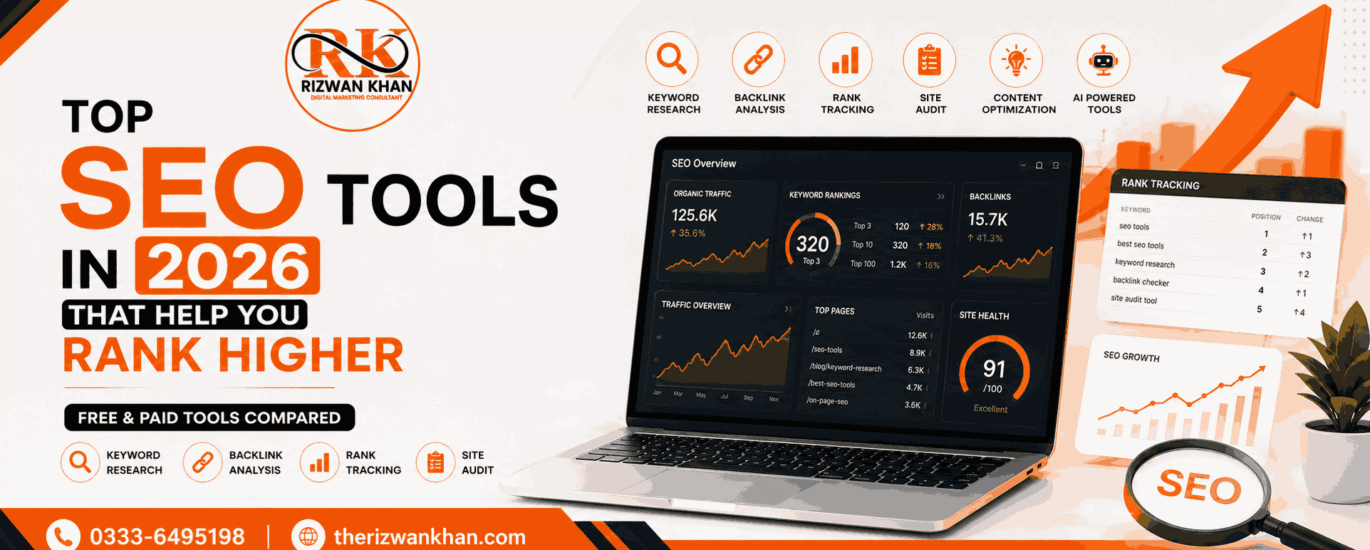
If you have a website, you already know that traffic does not come on its own. You need to do the work. And to do that work properly, you need the right tools.
SEO tools help you understand what people are searching for, how your site is performing, what your competitors are doing, and where you are losing rankings. Without them, you are basically guessing.
In this guide, I am going to walk you through the top SEO tools available right now. Some are free, some are paid, and some have both options. By the end, you will have a clear picture of which tools make sense for your goals.
Why Using the Right SEO Tools Matters
A lot of people think SEO is just about adding keywords to their content. That was true maybe ten years ago. Today, search engines like Google look at hundreds of signals before ranking your page.
They check how fast your site loads, whether your content matches what users actually want, how many quality websites link to you, and how people behave when they land on your page. Keeping track of all this manually is not possible.
That is why SEO tools exist. They collect data, run audits, track rankings, find opportunities, and show you exactly what needs fixing. Using the right tool can save you hours of work and help you make better decisions.
What to Look for in an SEO Tool
Before we get into the list, here are a few things worth checking when choosing an SEO tool:
Ease of use. You should not need a week of tutorials just to run a basic site audit. A good tool gives you clear data without making things complicated.
Data accuracy. Not every tool is equally reliable. Some give you keyword search volumes that are way off from reality. It is worth cross-checking a few tools to see how they compare.
Features that match your needs. A beginner blogger does not need the same tools as an agency managing 50 client websites. Know what you actually need before paying for features you will never use.
Budget. Some of the best tools are expensive. But there are solid free options too. We will cover both.
Top SEO Tools You Should Know About
Here is the list of Top SEO Tools that you should know:
1. Google Search Console (Free)
If you are not using Google Search Console yet, start here. It is completely free and comes straight from Google itself.
Search Console shows you which keywords your site is ranking for, how many people are clicking through, what your average position is, and whether Google is having trouble crawling your pages.
It also sends alerts when your site has issues like manual penalties, crawl errors, or mobile usability problems. For any website owner, this tool is non-negotiable. There is no replacement for getting this data directly from Google.
Best for: Everyone. Beginners to advanced users.
2. Ahrefs
Ahrefs is one of the most trusted SEO tools in the industry. It is used by professional SEOs, content marketers, and large brands around the world.
The tool is strongest when it comes to backlink analysis. You can see exactly which websites are linking to you or your competitors. This helps you understand why certain pages rank well and what kind of links you need to build.
Beyond backlinks, Ahrefs has a solid keyword explorer, a site audit feature, a content explorer for finding popular content ideas, and a rank tracker so you can monitor your keyword positions over time.
It is not cheap. Plans start at around $129 per month. But if you are serious about SEO, the data quality justifies the cost.
Best for: Intermediate to advanced users, agencies, and content marketers.
3. SEMrush
SEMrush is probably the most well-known all-in-one SEO tool. It covers keyword research, competitor analysis, site audits, backlink tracking, rank tracking, and even social media and paid ads.
One thing that stands out with SEMrush is its competitive research features. You can enter any competitor’s domain and see their top keywords, which pages get the most traffic, and where their backlinks are coming from. This is incredibly useful when you are trying to understand your market.
SEMrush also has a writing assistant tool that helps you optimize content as you write. It scores your content based on readability, SEO, tone, and originality.
Pricing starts at around $139 per month. They do offer a free trial if you want to test it out.
Best for: Marketers who want an all-in-one platform, competitive research, and paid search data.
4. Moz Pro
Moz has been around for a long time and has built a strong reputation in the SEO world. Their tool, Moz Pro, covers keyword research, rank tracking, site audits, and backlink analysis.
One unique feature is their Domain Authority (DA) score. This metric shows you how strong a website is from a link authority standpoint. While it is not a Google metric, it is widely used across the industry to compare websites and evaluate link opportunities.
Moz also has a free version called Moz Free that gives you limited access to keyword data and site metrics. It is a good starting point if you are not ready to commit to a paid plan.
Best for: Beginners moving into intermediate SEO, people who value community and education alongside tools.
5. Ubersuggest
Ubersuggest was created by Neil Patel and is one of the most beginner-friendly SEO tools out there. It gives you keyword ideas, search volume data, competition scores, and basic backlink information.
What makes Ubersuggest appealing is its price. There is a free version that gives you a limited number of searches per day. The paid plans are significantly cheaper than tools like Ahrefs or SEMrush, starting at around $29 per month.
The data is not as deep or accurate as the bigger tools, but for someone just starting out or running a small website, Ubersuggest gives you enough to work with.
Best for: Beginners, bloggers, and small business owners on a budget.
6. Screaming Frog SEO Spider
Screaming Frog is a desktop tool that crawls your website the same way a search engine does. It checks every page for SEO issues like broken links, duplicate content, missing title tags, slow-loading pages, and redirect chains.
If you are doing a technical SEO audit, this tool is extremely useful. It gives you a very clear picture of what is happening across your entire site.
The free version lets you crawl up to 500 URLs. For most small websites, that is enough. The paid version costs around $259 per year and removes the crawl limit.
Best for: Technical SEO audits, web developers, and SEO professionals.
7. Google Keyword Planner (Free)
Google Keyword Planner is designed for Google Ads users, but it is also useful for organic keyword research. You can enter a topic or URL and get a list of related keywords along with search volume ranges and competition levels.
The search volume data is shown in ranges rather than exact numbers unless you are running an active ad campaign. This is a limitation compared to other tools, but it is still useful for discovering new keyword ideas.
Since it pulls data directly from Google, the relevance of the suggestions is generally quite good.
Best for: Beginners, people already using Google Ads, anyone who needs free keyword data.
8. Surfer SEO
Surfer SEO takes a different approach. Instead of helping you find keywords or build links, it focuses on helping you write content that matches what Google currently considers high-quality for a specific keyword.
You enter your target keyword, and Surfer analyzes the top-ranking pages for that term. It then tells you how many words your content should be, which related terms you need to include, how to structure your headings, and more.
This is called content optimization, and Surfer is one of the best tools for it. Many SEOs use Surfer alongside Ahrefs or SEMrush to cover both discovery and optimization.
Plans start at around $89 per month.
Best for: Content writers, bloggers, and SEOs focused on on-page optimization.
9. AnswerThePublic
AnswerThePublic shows you the questions, comparisons, and phrases people type into search engines around a specific topic. It visualizes keyword data in a way that makes it very easy to spot content ideas.
For example, if you type in “SEO tools,” it will show you questions like “which SEO tools are best for beginners” or “are SEO tools worth it.” These are real things people are searching for, and creating content around them can bring in very targeted traffic.
There is a free version with limited daily searches. The paid version starts at around $9 per month.
Best for: Content idea generation, blog planning, finding long-tail keywords.
10. Yoast SEO (For WordPress)
If your website runs on WordPress, Yoast SEO is one of the best plugins you can install. It guides you through optimizing each post and page with simple traffic light indicators (green, orange, red) for readability and SEO.
It checks things like keyword placement, meta descriptions, internal links, content length, and more. The free version is solid. The premium version adds redirect management, internal linking suggestions, and support for multiple keywords per post.
Yoast does not replace tools like Ahrefs or SEMrush. But it works alongside them to make sure every piece of content you publish is properly optimized before it goes live.
Best for: WordPress users, bloggers, content creators.
Free vs Paid SEO Tools: Which One Should You Use?
This is a question a lot of beginners ask, and the honest answer is: it depends on where you are in your journey.
If you are just starting out, free tools like Google Search Console, Google Keyword Planner, Ubersuggest (free tier), and Yoast SEO will give you a strong foundation. You can learn a lot using free tools and get decent results without spending anything.
As your website grows and you want to go deeper into competitor research, content strategy, and link building, that is when paid tools start paying for themselves. The data quality and depth you get from tools like Ahrefs or SEMrush is hard to match with free alternatives.
A reasonable approach is to start free, learn the basics, and then invest in paid tools once you are generating enough traffic or revenue to justify the cost.
How to Pick the Right SEO Tool for Your Website
Here is a simple way to think about it:
- If you are a blogger or content creator, focus on keyword research and content optimization. Tools like Ubersuggest, AnswerThePublic, and Surfer SEO will serve you well.
- If you are running an e-commerce store, you need competitive research and technical auditing. SEMrush or Ahrefs combined with Screaming Frog is a strong combination.
- If you are managing multiple client sites as a freelancer or agency, you need a comprehensive tool that covers everything in one place. SEMrush or Ahrefs are the go-to options here.
- If you are on a tight budget, start with the free tools and build from there. Google Search Console alone can give you insights that most people never take advantage of.
Final Thoughts
There is no single best SEO tool for everyone. The right choice depends on your goals, your budget, and how deep you want to go with your SEO strategy.
- What matters most is that you actually use the tool. A lot of people sign up for SEMrush or Ahrefs and never log in after the first week. Pick something simple to start, understand the data, and take action based on what you learn.
- SEO is a long game. The tools just help you play it smarter.
- Start with Google Search Console. Add one or two tools based on your needs. Stay consistent. That is the real strategy.